Check Citation Metadata When a Webpage Has No Clear Date
Separate publication, update, copyright, and access dates before filling a citation generator.
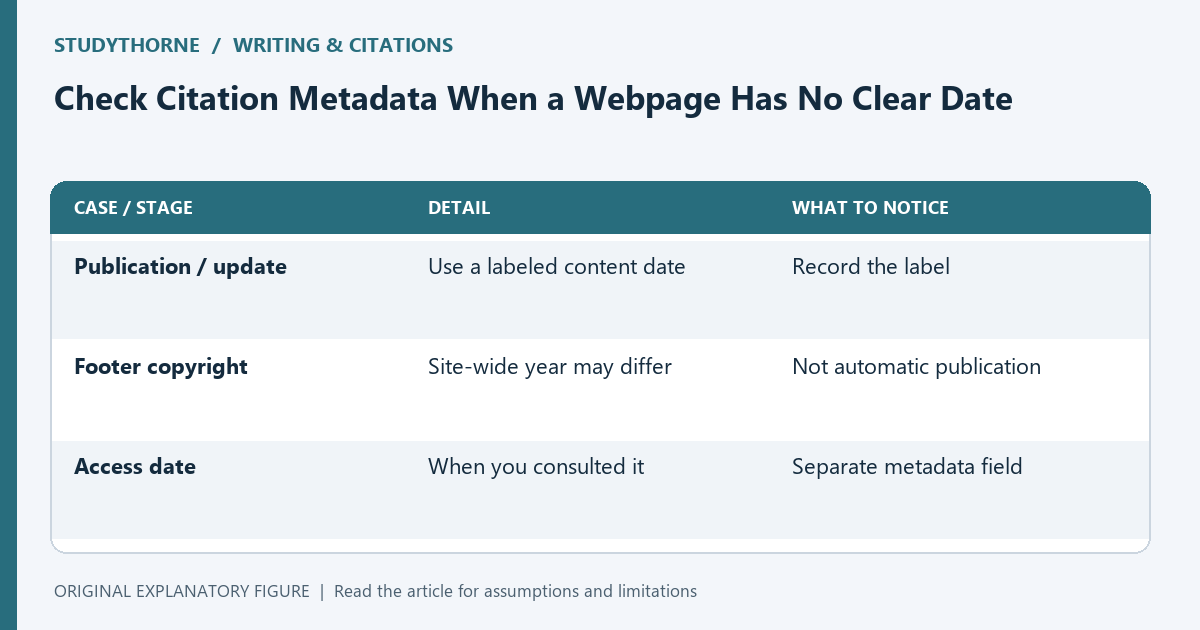
A webpage can show several dates without clearly identifying when its content was published. Copying the footer year into a publication field can create an inaccurate reference. This guide offers a metadata inspection workflow. Citation styles handle missing and changing information differently, so use your required style guide and assignment rules for the final format rather than treating this checklist as a universal citation rule.
Inspect the content area first
Look near the title, byline, and article header for a labeled publication or update date. Record the label as well as the date. A page that says updated is not necessarily stating its original publication date.
Also inspect the organization and author information. A site name, a department, and an individual author can play different roles. Keep the exact evidence you found so you can enter metadata deliberately instead of filling every field with the nearest visible text.
Keep footer and access dates separate
A copyright year in a shared footer may refer to the website rather than the individual page. Your access date records when you consulted it. Neither should silently become a publication date.
Make separate fields in your source ledger for publication, update, and access information. If a field is unknown, leave it marked unknown until you check the required style’s missing-date treatment. An honest missing value is better than an invented one.
Check the source type
A report linked from a webpage may have its own title page, authors, and date. If your claim comes from the report, cite the report using its metadata rather than automatically citing the page that hosts the download.
For a changing reference page, inspect any version or revision information relevant to the material you used. The question is what source supported your claim. A hosting address alone does not identify the source type or the most useful reference details.
Use the required style deliberately
Consult the official guidance or course-provided rules for missing dates, organization authors, and access information. Different styles can produce different entries from the same metadata. Record the chosen style with your draft reference.
Enter only verified information into the generator and compare the output with the rule. A tool can format fields but cannot discover whether a footer date belongs to the article or decide which document your paragraph actually relies on.
Preserve a retrievable record
Keep the URL, title, relevant section, access date, and a short note explaining why the publication date is absent. If the source changes, that note makes your earlier reference understandable.
Use the citation tool for a draft entry and the source-ledger workflow for traceability. Before submission, verify that the in-text citation and reference entry correspond. The useful outcome is an accurate, explainable citation with unknown information handled according to your required style.
| Case or stage | Detail | What to notice |
|---|---|---|
| Publication / update | Use a labeled content date | Record the label |
| Footer copyright | Site-wide year may differ | Not automatic publication |
| Access date | When you consulted it | Separate metadata field |